Automate the Work Around Meetings
Send reminders, follow-ups, Slack notifications, and webhook triggers automatically. No manual effort, no missed follow-ups.
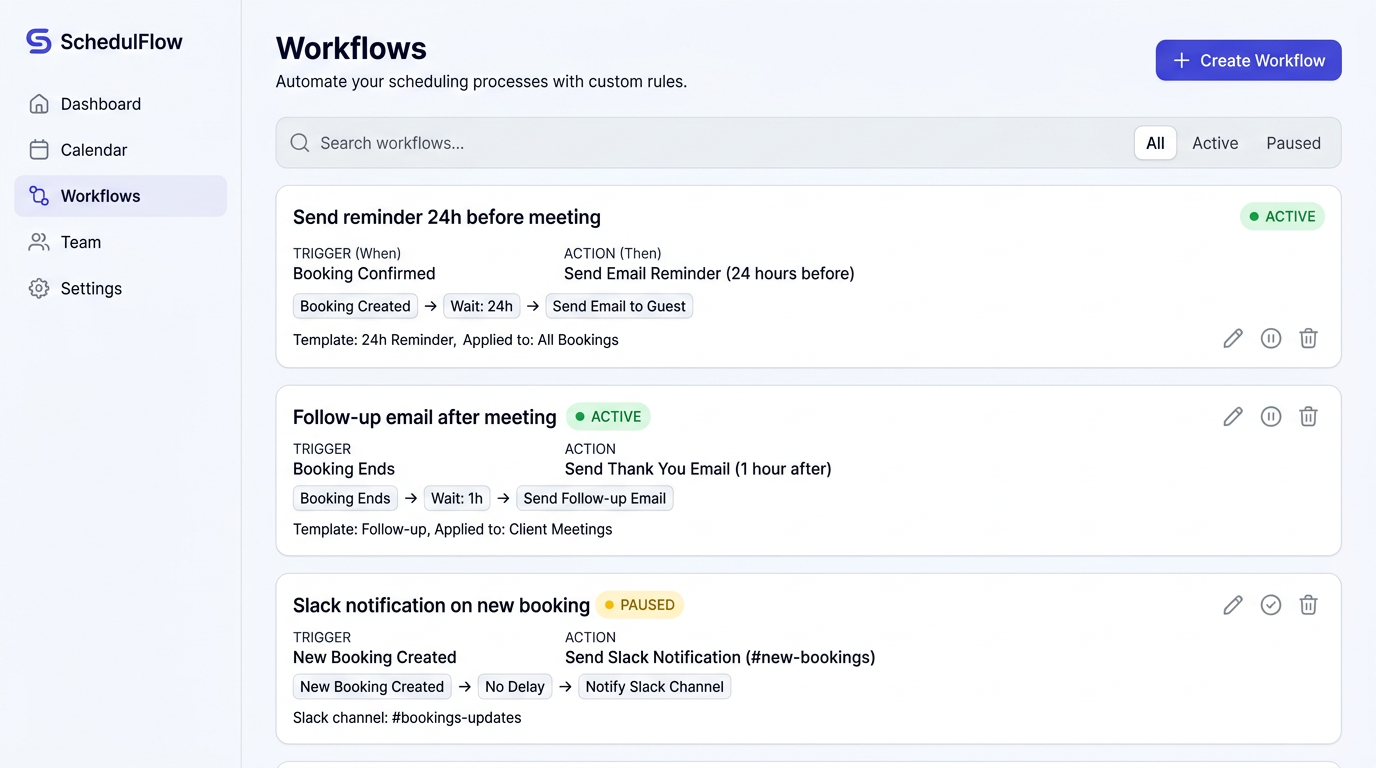
Meetings create admin work before and after
For every meeting you schedule, there are reminders to send, agendas to share, follow-ups to write, and team members to notify. Doing this manually is tedious, inconsistent, and easy to forget, especially when you're booking 10+ meetings a day.
Set it once, let it run forever
Proximity workflows let you define automated actions triggered by booking events. When a meeting is booked, rescheduled, or cancelled, your workflows fire automatically: sending emails, posting to Slack, hitting webhooks, or triggering SMS messages.
Key Capabilities
How It Works
Choose a trigger
Select when the workflow fires: booking created, rescheduled, cancelled, or completed.
Set a delay
Optionally add a delay. For example, send a reminder email 24 hours before the meeting.
Define the action
Choose what happens: send an email, SMS, Slack message, or fire a webhook to your systems.
Scope it
Apply the workflow to all event types or restrict it to specific ones.
Workflows included, not upsold
Competitors lock workflow automations behind their most expensive plans ($16+/seat/month). Proximity includes the full workflow engine on the Standard plan at $5/seat/month, giving every professional access to the automation they need.
Use Cases
Reduce No-Shows
Send automated reminders 24 hours and 1 hour before meetings. Teams report up to 40% fewer no-shows.
Sales Follow-Ups
Automatically send a follow-up email with meeting notes template 1 hour after every sales call.
Team Awareness
Post a Slack notification to your team channel whenever a new meeting is booked.
CRM Sync
Fire a webhook to your CRM when bookings are created, keeping your pipeline data up to date.
Get started with Automatisierte Workflows
Keine Kreditkarte erforderlich. Kostenloser Tarif dauerhaft verfügbar.