All Your Calendars, One Source of Truth
Connect Google Calendar, Microsoft Outlook, and Apple Calendar. Proximity checks every one of them in real time and only shows slots where you're actually free.
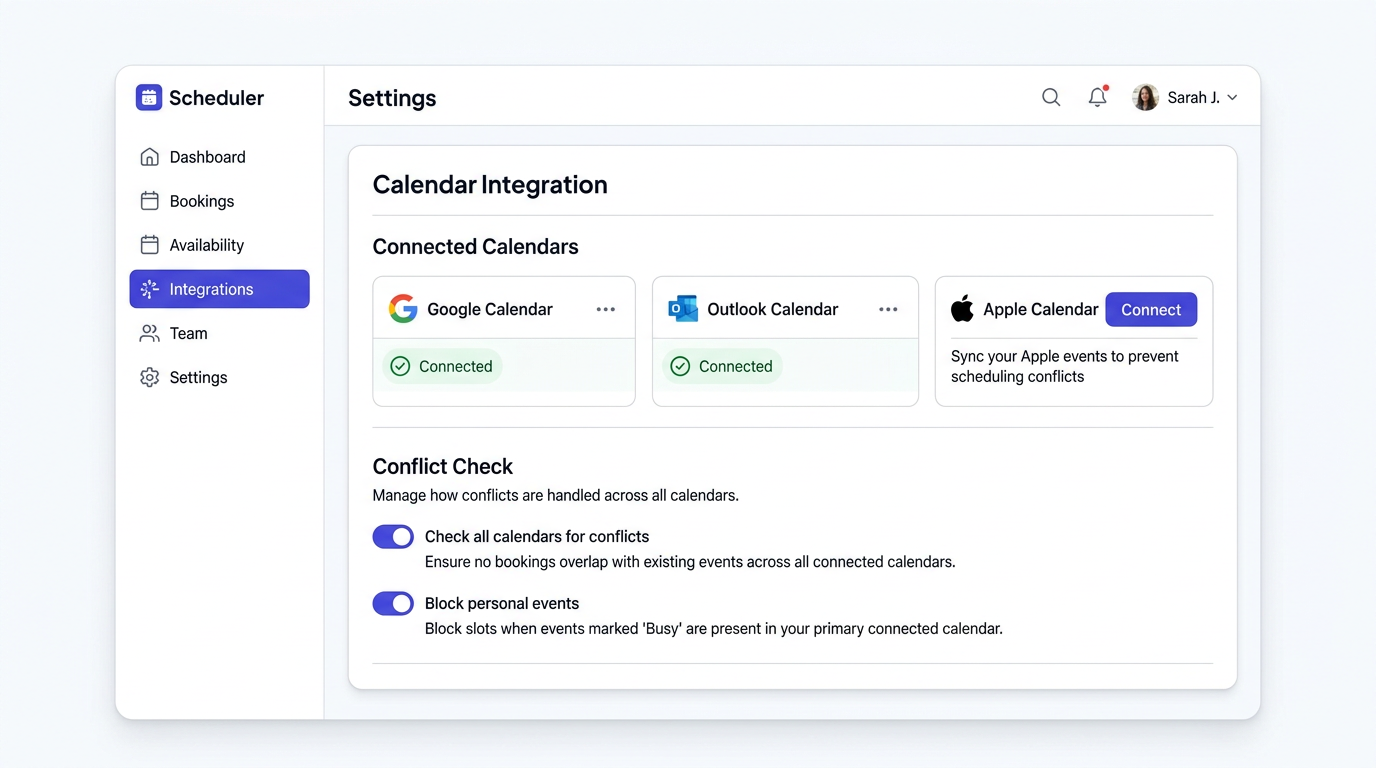
Calendar fragmentation causes double-bookings
Most people juggle multiple calendars: work, personal, side projects. When your scheduling tool only sees one of them, it offers slots that conflict with the others. That means double-bookings, frantic rescheduling, and clients who lose trust.
Real-time availability across all calendars
Proximity connects to all your calendars at once. When someone opens your booking page, it checks every calendar in real time and only shows slots where you're genuinely free. No more double-bookings. No more manual checks.
Key Capabilities
How It Works
Connect your calendars
Sign in with Google, Microsoft, or Apple. Proximity requests only the permissions needed to check availability.
Choose conflict calendars
Select which calendars should be checked for conflicts. Keep personal events private while still blocking those time slots.
Set your booking calendar
Choose which calendar receives new booking events. This is where confirmed meetings appear.
Start scheduling
Proximity handles the rest. It checks all your calendars in real time and prevents double-bookings automatically.
Multi-calendar on every plan
Some competitors limit you to one calendar on their free plan. Proximity Free lets you connect 1 calendar, and Standard ($5/seat/month) lets you connect as many as you need. No artificial limits.
Use Cases
Multi-Calendar Professionals
Connect your work Google Calendar and personal Outlook calendar so no one books over your dentist appointment.
Agencies
Team members connect their individual calendars so round-robin scheduling always assigns to someone who's actually free.
Hybrid Workers
Block out commute times on your personal calendar and have them automatically reflected in your booking availability.
Executives
Connect the assistant-managed calendar alongside your personal one for complete availability coverage.
Get started with Calendar Integration
No credit card required. Free plan available forever.