Automate the Work Around Meetings
Reminders, follow-ups, Slack pings, webhook triggers. They all happen automatically. No manual effort, no missed follow-ups.
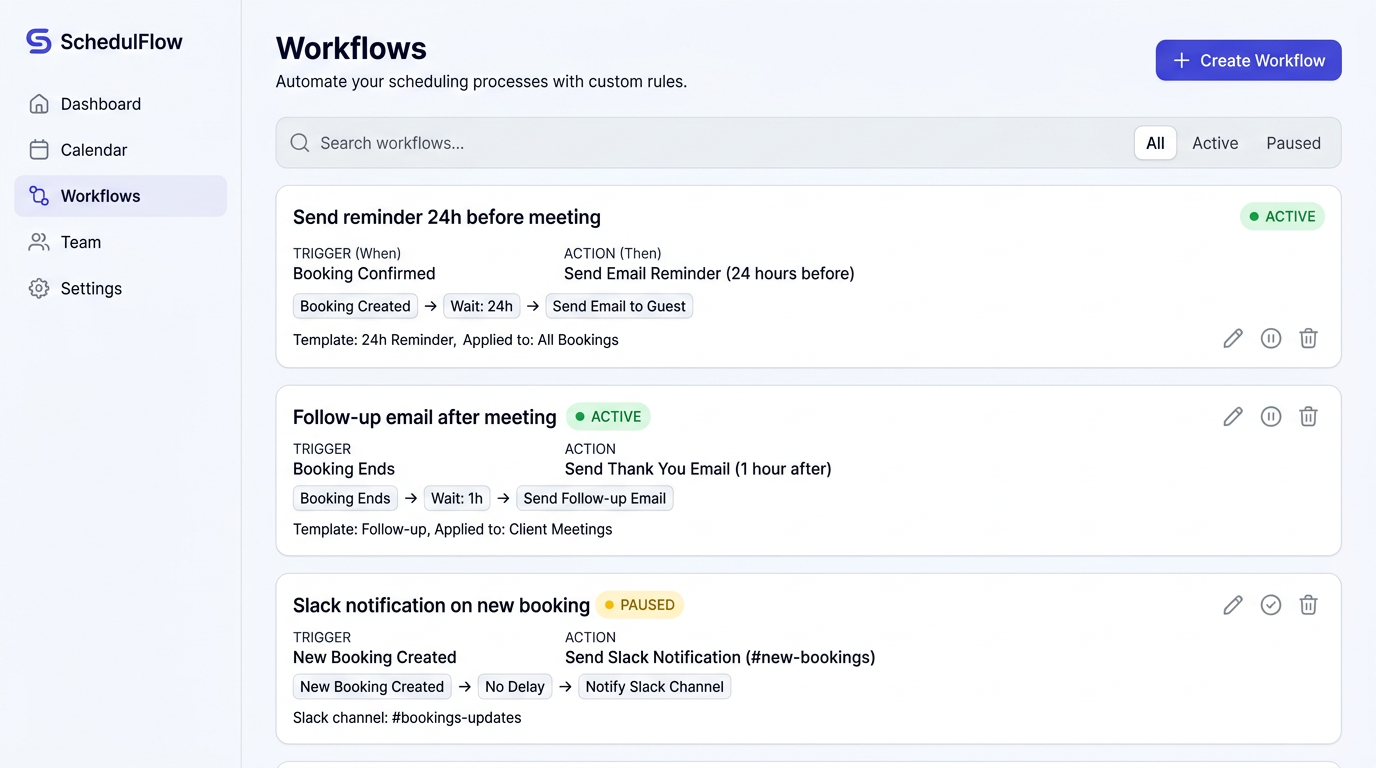
Meetings create admin work before and after
Every meeting comes with reminders to send, agendas to share, follow-ups to write, and teammates to loop in. Doing all that by hand is tedious and easy to forget, especially when you're booking 10+ meetings a day.
Set it once, let it run forever
Define what should happen when a meeting is booked, rescheduled, or cancelled. Proximity takes it from there: sending emails, posting to Slack, hitting webhooks, or firing off SMS messages.
Key Capabilities
How It Works
Choose a trigger
Select when the workflow fires: booking created, rescheduled, cancelled, or completed.
Set a delay
Optionally add a delay. For example, send a reminder email 24 hours before the meeting.
Define the action
Choose what happens: send an email, SMS, Slack message, or fire a webhook to your systems.
Scope it
Apply the workflow to all event types or restrict it to specific ones.
Workflows included, not upsold
Competitors lock workflows behind their priciest plans ($16+/seat/month). Proximity includes the full workflow engine on Standard at $5/seat/month. Every professional gets the automation they need.
Use Cases
Reduce No-Shows
Send automated reminders 24 hours and 1 hour before meetings. Teams report up to 40% fewer no-shows.
Sales Follow-Ups
Automatically send a follow-up email with meeting notes template 1 hour after every sales call.
Team Awareness
Post a Slack notification to your team channel whenever a new meeting is booked.
CRM Sync
Fire a webhook to your CRM when bookings are created, keeping your pipeline data up to date.
Get started with Automated Workflows
No credit card required. Free plan available forever.