Proximity vs Calendly: Which Scheduling Tool Is Right for You in 2026?
An honest, in-depth comparison of Proximity and Calendly covering features, pricing, user experience, and real-world use cases to help you choose the right scheduling tool.
Why this comparison matters
Choosing a meeting scheduling software is one of those decisions that sounds simple but quietly shapes how your team operates every single day. The tool you pick determines how prospects experience your brand, how quickly deals move through your pipeline, and how much time your team wastes on coordination instead of actual work.
For years, Calendly was the default answer. And for good reason. They essentially created the modern scheduling category and built a product that millions of people use. But the landscape has shifted. New players have entered the market with fresh ideas about what scheduling should look like, and that is exactly why a Proximity vs Calendly comparison is worth your time in 2026.
This is not a hit piece on Calendly. It is an honest look at two solid products, where each one shines, and which one makes the most sense depending on your specific situation. If you have been searching for a Calendly alternative or just want to understand your options before committing, you are in the right place.
A quick overview of both platforms
Calendly launched in 2013 and has grown into one of the most recognized scheduling tools on the planet. It is used by individuals, small teams, and large enterprises alike. The product is mature, well-integrated, and backed by serious venture capital. Calendly has spent over a decade refining its feature set and building out a marketplace of integrations.
Proximity is a newer entrant that was built from scratch for the way teams work today. Rather than bolting on features over time, Proximity was designed with a modern tech stack and a philosophy that powerful scheduling should not require an enterprise price tag. The interface draws inspiration from tools like Linear and Notion, prioritizing speed and clarity over feature bloat.
Both platforms solve the same core problem: eliminating the back-and-forth of scheduling. But they take meaningfully different approaches to how they get there.
Feature-by-feature comparison
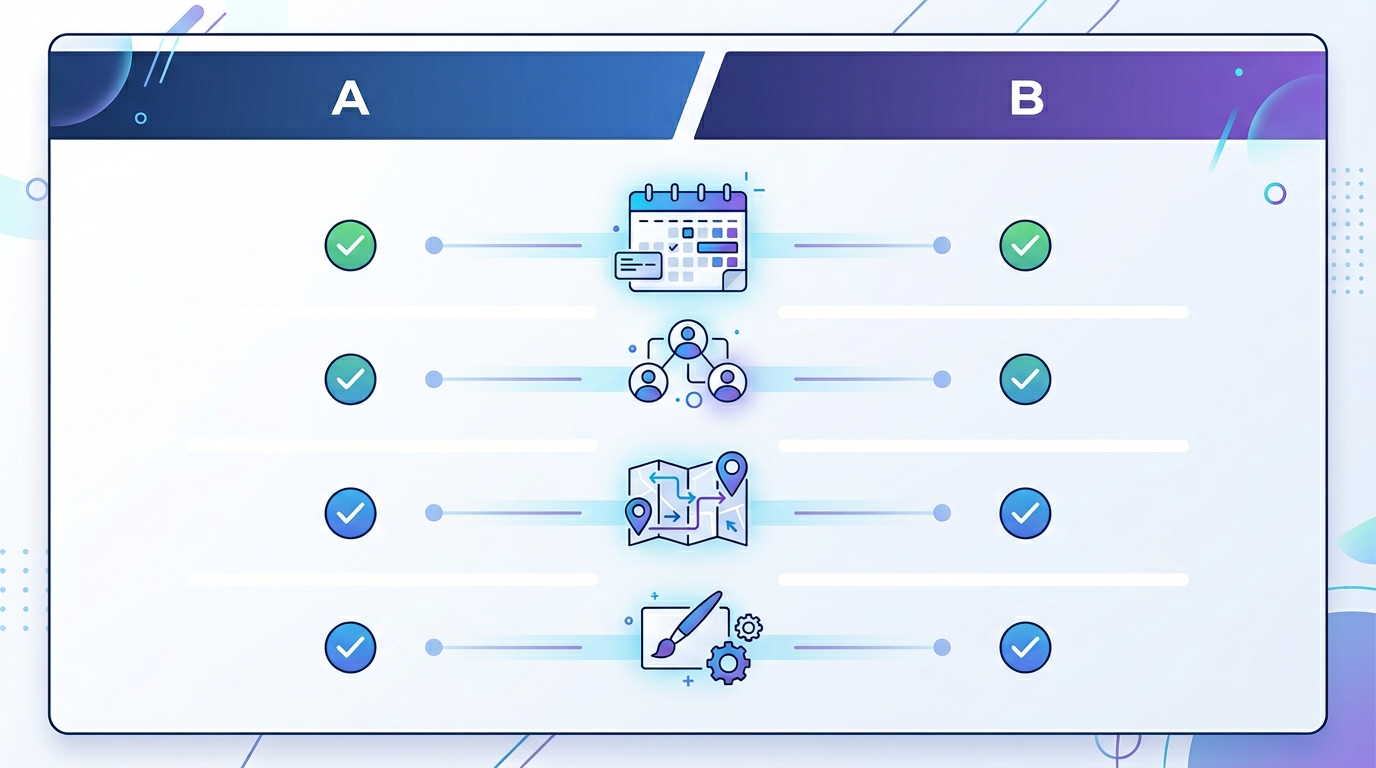
Let's break this down category by category so you can see exactly where these two platforms overlap and where they diverge.
Booking pages
Your booking page is the first thing prospects and clients see, so it matters more than most people realize.
Calendly provides clean, functional booking pages. On the free plan, they are fairly basic. You get some color customization on paid plans, but design flexibility is limited unless you step up to higher tiers.
Proximity takes a different approach by giving you full branding control from day one. Even on the free plan, you can customize colors and add your logo. On the Standard plan, you get complete control over your booking page appearance, including welcome messages and profile customization. Your booking page should look like a natural extension of your brand, not a generic third-party widget.
Team scheduling
Both platforms support the essentials here: round-robin assignment (distributing meetings evenly across team members) and collective meetings (finding a time when multiple team members are all available).
Where Proximity pulls ahead is with team groups. You can organize team members into logical groups, like "Sales EMEA" and "Sales North America," and route bookings to the right group based on the guest's needs. This is especially useful for companies with distributed teams that serve different regions or product lines.
Routing forms
Routing forms let you qualify and direct leads before they ever book a meeting. Think of them as a mini intake process that ensures the right person talks to the right prospect.
Calendly introduced routing forms on their Teams plan, which starts at $16 per seat per month.
Proximity includes multi-step routing forms with conditional logic on the Standard plan at $5 per seat per month. You can build branching paths, route to external URLs, set up disqualification screens for leads that are not a fit, and customize the entire flow. Getting this functionality at roughly one-third the price is a significant difference for growing teams.
Workflows and automation
This is where the best scheduling tool for your team often reveals itself, because automation is what separates a basic booking link from a real scheduling system.
Calendly offers workflows on their higher-tier plans. You can set up email and SMS reminders, follow-ups, and basic notification chains.
Proximity includes a full workflow engine on the Standard plan. You get configurable triggers (booking created, cancelled, rescheduled, or completed), customizable delays, and multiple action types including email notifications, SMS messages, Slack alerts, and custom webhooks. You can build multi-step workflows that handle everything from pre-meeting reminders to post-meeting follow-up sequences. And again, this is included at $5 per seat per month.
Calendar integrations
Both platforms integrate with Google Calendar, Microsoft Outlook, and Office 365. Calendly also supports iCloud Calendar. Proximity currently supports Google Calendar and Microsoft Outlook/Office 365, which covers the vast majority of business users.
Real-time calendar sync works reliably on both platforms. You connect your calendars, and the system checks for conflicts in real time so guests only see genuinely available slots.
Multi-language support
In a global economy, language support matters.
Calendly supports over 10 languages for booking pages, which is a strength built up over years of expansion.
Proximity currently supports English, Spanish, German, French, and Italian. The platform also includes automatic language detection based on the guest's browser settings, so a visitor from Madrid sees your booking page in Spanish without you lifting a finger.
Calendly has the edge here in terms of sheer number of supported languages. If you regularly book meetings with people in languages beyond Proximity's current list, that is worth considering.
Custom domains
Both platforms allow you to use a custom domain for your booking pages on paid plans. Instead of "calendly.com/yourname" or "proximity.io/yourname," you can use something like "meet.yourcompany.com."
Proximity includes built-in DNS verification and step-by-step setup guidance right in the settings page, which makes the technical configuration noticeably smoother.
Analytics and reporting
Understanding your scheduling data helps you optimize how your team books meetings.
Calendly offers analytics on paid plans, with more detailed reporting on higher tiers. You can track popular meeting times, booking rates, and team performance.
Proximity includes booking analytics on the Standard plan. You can see trends in your scheduling volume, track which event types get the most bookings, and monitor team activity. The analytics dashboard follows the same clean design philosophy as the rest of the product, making it easy to scan and act on data.
Branding and white-labeling
Calendly lets you remove their branding starting at the Standard plan ($10 per seat per month).
Proximity includes branding removal on the Standard plan at $5 per seat per month. You also get more granular control over the visual appearance of your booking experience, which is important for agencies and client-facing teams that need every touchpoint to feel on-brand.
Pricing breakdown
Pricing is often the deciding factor in a meeting scheduling software comparison, so let's lay it all out clearly.
| Feature | Proximity Free | Calendly Free | Proximity Standard | Calendly Standard | Calendly Teams | |---|---|---|---|---|---| | Monthly price | $0 | $0 | $5/seat | $10/seat | $16/seat | | Event types | 1 | 1 | Unlimited | Unlimited | Unlimited | | Calendar connections | 1 | 1 | Multiple | Multiple | Multiple | | Routing forms | No | No | Included | No | Included | | Workflows | No | No | Included | No | Included | | Remove branding | No | No | Included | Included | Included | | Round-robin | No | No | Included | Included | Included | | Collective meetings | No | No | Included | Included | Included | | Custom domain | No | No | Available | Available | Available | | Admin controls | No | No | Included | Included | Included |
Here is what stands out when you look at these numbers: Proximity's Standard plan at $5 per seat per month includes features that require Calendly's Teams plan at $16 per seat per month. That is routing forms, workflow automation, and branding control bundled together at less than a third of the cost.
For a team of 10, that difference adds up fast. You would pay $50 per month with Proximity Standard versus $160 per month with Calendly Teams to get comparable functionality. Over a year, that is $1,320 in savings.
See Proximity pricing for the full breakdown.

User experience and interface design
Numbers and feature checklists only tell part of the story. The day-to-day experience of actually using a scheduling tool matters enormously, because your team interacts with it constantly.
Calendly's interface
Calendly's interface is functional and familiar. It has been refined over many years, and most people can navigate it without much trouble. That said, a decade of feature additions has resulted in some interface complexity. Finding certain settings can require clicking through multiple layers of menus, and the overall design leans more toward "traditional SaaS" than "modern product."
This is not a knock on Calendly. It is the natural result of a mature product that has grown to serve many different use cases. But it does mean the learning curve can be steeper than you would expect for a scheduling tool.
Proximity's interface
Proximity was designed from day one with a modern, minimal interface. A few things stand out immediately when you use it:
- Floating glass navigation bar that gives you quick access to the most common actions without cluttering the screen
- Command palette (Cmd+K / Ctrl+K) for power users who want to jump between sections instantly
- Card-based layout that keeps everything scannable and organized
- Real-time updates so changes reflect immediately without page refreshes
- Responsive design that works beautifully on mobile devices
If you have used tools like Linear, Notion, or Vercel's dashboard, Proximity will feel instantly familiar. It prioritizes speed and clarity, which translates to less time configuring and more time doing actual work.
The difference in interface philosophy also extends to setup. Creating a new event type in Proximity takes about two minutes. You fill in the basics, set your availability, pick a meeting location, and you are live. No multi-page wizards or confusing options buried in submenus.
When Calendly is the better choice
We said this would be an honest comparison, so let's give credit where it is due.
Calendly is the better choice when:
-
You need deep CRM integrations. Calendly has native connectors for Salesforce, HubSpot, Marketo, and other enterprise CRM platforms. If your team's workflow depends heavily on data flowing between your scheduling tool and your CRM, Calendly's integration ecosystem is hard to beat today.
-
You need a wide range of language support. With over 10 supported languages, Calendly covers more international ground than Proximity currently does. If you regularly schedule with guests who speak languages outside of English, Spanish, German, French, or Italian, Calendly has the edge.
-
You prefer a proven, established platform. Calendly has been around since 2013. It has millions of users, extensive documentation, and a large community. Some organizations prefer that level of track record when making tool decisions.
-
You already have a Calendly workflow that works. If your team is deeply embedded in Calendly and everything is running smoothly, switching for the sake of switching rarely makes sense. The cost of change is real.
These are legitimate advantages, and we respect the work Calendly has done building their platform over the past decade.
When Proximity is the better choice
Proximity is the better choice when:
-
Budget matters. At $5 per seat per month for the Standard plan, you get routing forms, workflows, branding control, and team scheduling. Getting comparable features from Calendly would cost $16 per seat per month. For growing teams watching their spend, that difference compounds quickly.
-
You want a modern, fast interface. If your team values design and usability, Proximity's interface is a genuine delight to use. It is the kind of tool that people actually enjoy opening, which might sound trivial but directly impacts adoption rates.
-
You need advanced workflows without an enterprise plan. Multi-step workflows with custom triggers, delays, and webhook integrations are included on Proximity's Standard plan. No need to upgrade to a higher tier just to send a Slack notification when someone books a meeting.
-
Branding is important to your business. Agencies, consultants, and client-facing teams that need their booking experience to look polished and on-brand get more customization options at a lower price point with Proximity.
-
You value a product that is evolving quickly. Proximity ships regular updates and improvements. Being a newer product means the team is actively building based on user feedback, and you are more likely to see your feature requests reflected in the product roadmap.
Real-world use cases
Abstract feature comparisons are helpful, but real-world scenarios make the differences concrete.
Solo consultant or freelancer
If you are a solo operator who needs a simple booking link, both platforms work great on their free plans. You get one event type, one calendar connection, and a functional booking page. The choice here often comes down to personal preference on design and interface.
That said, when you are ready to grow and add workflows, remove branding, or create multiple event types, Proximity's Standard plan at $5 per month is half the cost of Calendly's equivalent.
Growing sales team (5 to 20 people)
This is where the differences really matter. A sales team needs round-robin distribution, routing forms to qualify leads, workflows to send reminders and follow-ups, and analytics to track performance.
With Proximity, your team gets all of this on the Standard plan. The total cost for a 15-person sales team would be $75 per month. Getting the same features on Calendly's Teams plan would run $240 per month. Over the course of a year, that is nearly $2,000 in savings, money that could go toward hiring, tooling, or ad spend.
Agency managing multiple clients
Agencies often need to set up booking pages for different clients, each with unique branding. Proximity's branding flexibility and custom domain support make it well-suited for this use case. You can create booking pages that look like they belong to each client's brand, which matters when first impressions drive conversions.
International team with distributed offices
For teams that operate across multiple countries and time zones, Proximity's automatic timezone detection and team groups feature shine. You can route prospects to the right regional team automatically, and guests always see availability in their local timezone without any manual adjustment.
If your team operates in many languages beyond Proximity's current five, Calendly's broader language support could be the deciding factor. But for teams primarily working in English, Spanish, German, French, or Italian, Proximity covers the bases.
What users are saying
The best signal for any product is whether the people using it would recommend it to others. Proximity users frequently highlight three themes in their feedback:
-
The interface just feels better. Teams switching from other scheduling tools often mention how clean and intuitive Proximity feels. Less clutter means less time spent configuring and more time spent on work that matters.
-
The pricing is refreshingly fair. Getting workflows, routing forms, and branding control without paying enterprise prices resonates with cost-conscious teams. People appreciate not being nickel-and-dimed for features that feel like they should be standard.
-
Setup is genuinely fast. Multiple users report going from sign-up to a live booking page in under five minutes. For a category where tool adoption can stall during onboarding, that speed matters.
The verdict
So, which scheduling tool should you choose? Here is the honest answer: it depends on what you need.
Choose Calendly if your team relies on deep CRM integrations like Salesforce or HubSpot native connectors, if you need support for a wide range of languages, or if you are already happily embedded in the Calendly ecosystem and have no reason to switch.
Choose Proximity if you want more features at a lower price, if a modern and fast interface matters to your team, if you need workflows and routing forms without paying enterprise rates, or if you are just starting your search for the best scheduling tool and want to get the most value for your budget.
The scheduling software landscape is no longer a one-player game. Calendly built an incredible product that defined a category. Proximity is building the next generation of that category with modern design, transparent pricing, and powerful features accessible to everyone, not just enterprise buyers.
The good news is that both platforms offer free plans, so you can try before you commit. But if the comparison above resonates with you and you are looking for a Calendly alternative that does not compromise on features or break the bank, Proximity is well worth a look.
Ready to try it yourself?
The best way to decide between any two tools is to experience them firsthand. Sign up for a free Proximity account, connect your calendar, and create your first booking page. It takes about five minutes, and no credit card is required.
See what a modern scheduling tool feels like. You might not go back.